Stop losing track of decisions across your AI tools.
BridgeBoard AI keeps your conversations connected across Claude, ChatGPT, Gemini, and Perplexity — so your work compounds instead of resetting.

Installs in seconds. Starts capturing immediately. No workflow changes required.
The Problem
Your best AI work keeps getting trapped in separate places.
You use multiple AI tools every day. The problem is they don't know what the others said — so you keep paying the same tax: re-explaining, re-searching, re-deciding.
Most teams waste 30–90 minutes per day rebuilding context they already solved.
The re-explain tax
You solved it in one AI. Now you're explaining it again in another. That's not collaboration — that's data entry.
Zero shared memory
Each tool starts from zero, every time. Your history doesn't travel with you.
You are the integration layer
Copy-pasting context between tools isn't a workflow — it's a workaround. That's not your job.
The lost insight
You know you solved this last week. You just can't remember which AI you were talking to. You end up paying for the same answer twice.
Verified Recovery
Real evidence from beta. Not a marketing claim.
Two sessions. Two outcomes. This is the before-and-after that built the product.
Verified Recovery — Real Evidence from Beta
Two sessions. Two outcomes.
Recovered Decision — April 8
Found in 3 seconds.
Source: Claude Desktop
Session: Product Decision — Two-Tier Recall Model
Status: Retrieved instantly through BridgeBoard search
Why it was found: The conversation was captured automatically before the session closed.
March 28–31 — Lost.
A different session was never captured. When the team needed it, it could not be recovered. The decision had to be reconstructed from memory.
BridgeBoard doesn't just connect your AI tools. It makes sure the work survives.
How It Works
Three steps. Your AI tools start working together.
BridgeBoard AI runs in the background. No workflow changes. No extra steps.
Capture
Automatically records conversations across the AI tools you already use.
Installs in seconds. Starts capturing immediately.
Connect
Links related context so ideas from one conversation are available in the next.
What you discussed in Claude is there when you open ChatGPT.
Recall
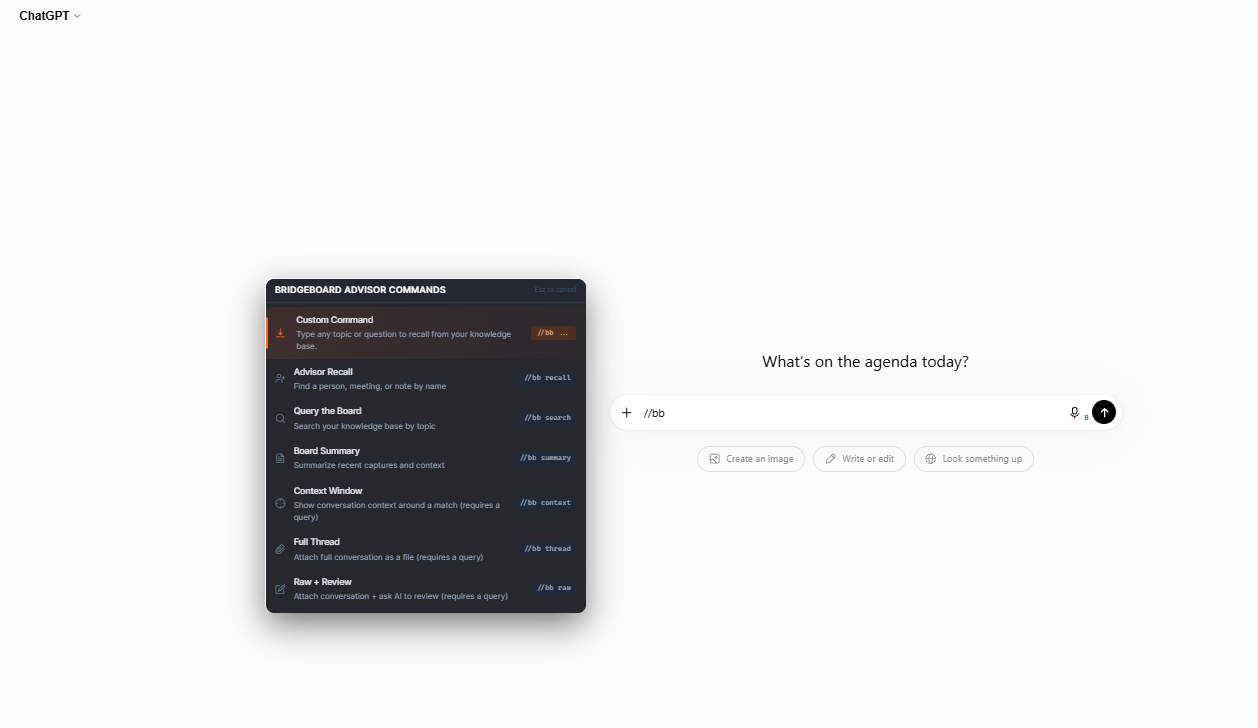
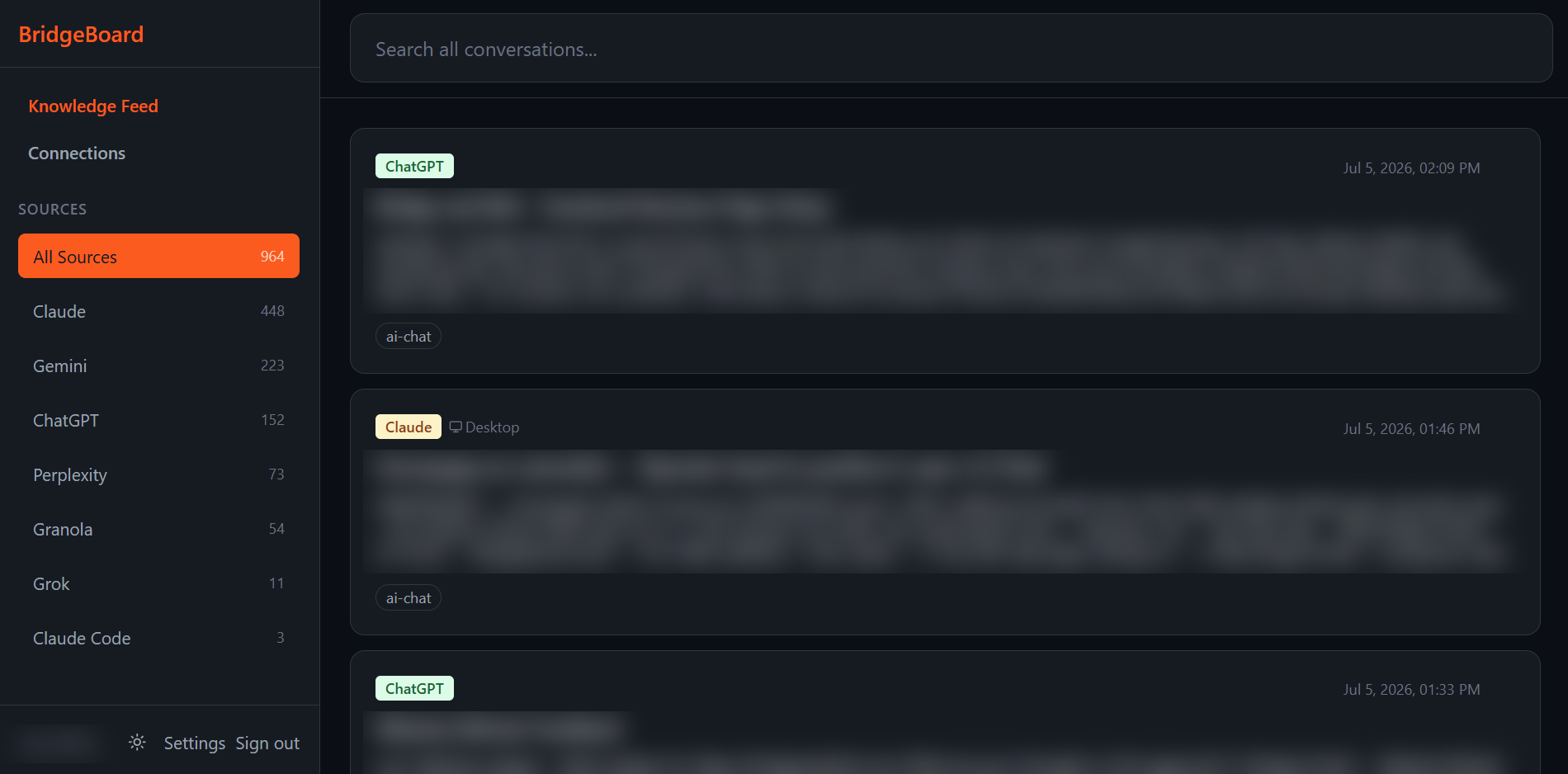
Find any insight from any AI tool, instantly.
One search. Every AI conversation you've had. The answer you need in seconds.
Real Examples
Here's what changes when your AI tools stop forgetting.
The Decision That Didn't Get Lost
Without BridgeBoard: You spent two hours in Claude mapping out auth logic for a serverless migration. The next morning, you open ChatGPT to generate the Terraform files — but ChatGPT has no idea what you decided. You re-explain the schema, the constraints, the edge cases. You miss one detail. The infrastructure doesn't match the logic.
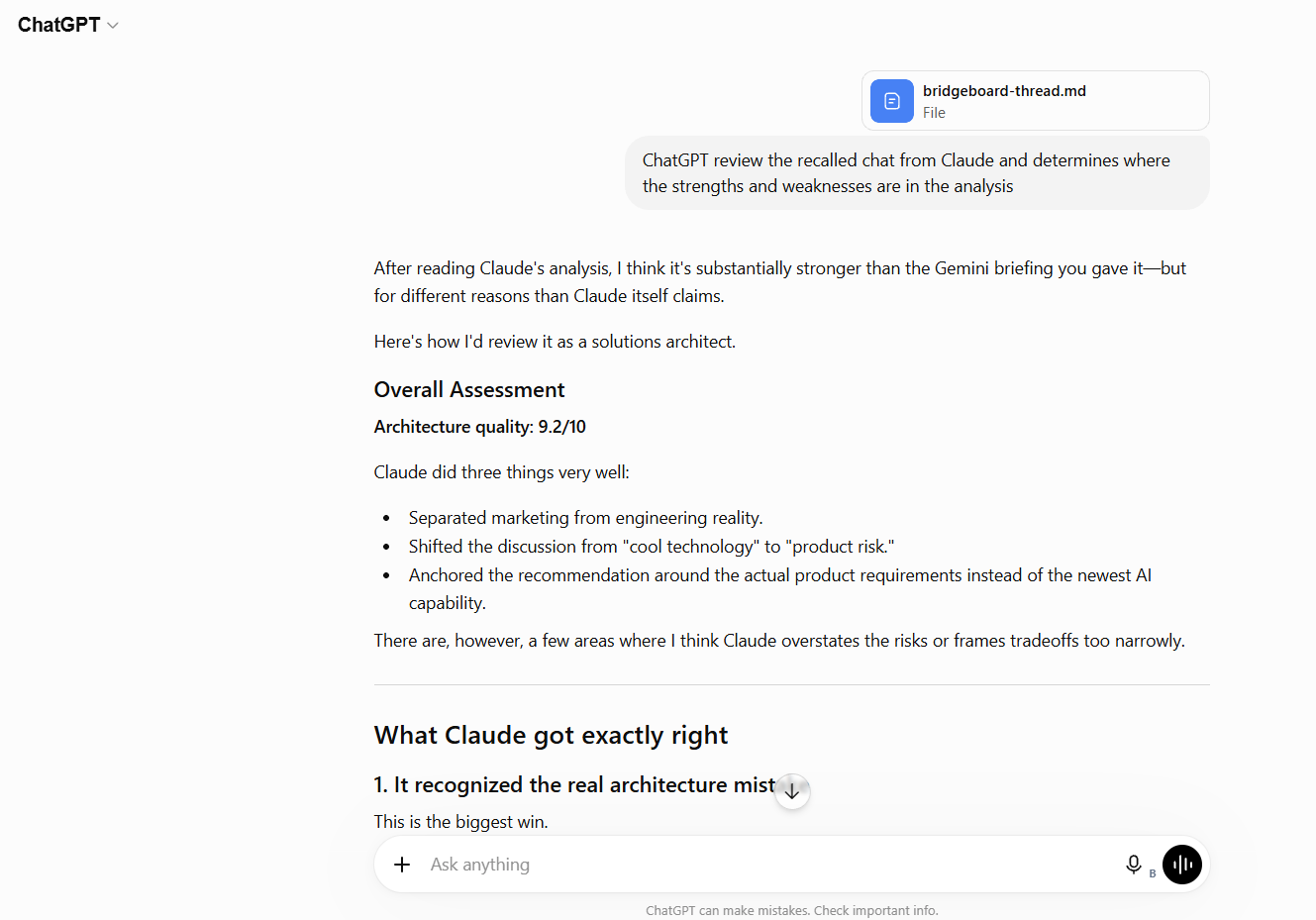
With BridgeBoard: You tell ChatGPT: "Write the Terraform for the auth logic I finalized in Claude." The context is already there. The infrastructure matches the decisions. Zero re-explaining. Zero gaps.
The Prompt You Already Perfected
Without BridgeBoard: You refined the perfect prompt for generating release notes in ChatGPT. A week later, you try to reuse it in Claude — but you can't find the original version. You rebuild it from memory. It's close, but not as good.
With BridgeBoard: You search one keyword. The exact prompt appears — with the output that worked. You reuse it instantly.
"Where Did I Ask That?"
Without BridgeBoard: You remember a brilliant solution from last week — a specific code fix, a naming idea, a vendor recommendation. But you can't remember if it was Claude, ChatGPT, Perplexity, or Gemini. You open four tabs. You scroll through sidebars. You search. Nothing. Twenty minutes gone. You re-ask the question and hope the answer is as good as the one you lost.
With BridgeBoard: One search bar. You type two words. The exact conversation surfaces — which AI, which date, which prompt. Two seconds. Done.
Every time context resets, you pay for the same thinking twice. BridgeBoard makes it stick.
Who It's For
Built for people who are tired of starting over.
Primary audience
Power users who run on multiple AI tools.
You use Claude, ChatGPT, Gemini, and Perplexity interchangeably all day. The problem isn't the tools — it's that they don't talk to each other. BridgeBoard fixes that without changing how you work.
Also works for
Technical builders
Data ownership, portability, and the flexibility you expect — without the infrastructure burden.
Teams
Keep decisions, prompts, and context from getting lost across tools and people.
Researchers & analysts
Search across your previous work and build on the best ideas instead of starting over.
Why It's Different
Private by design. Your data never leaves your control.
Most tools that "help you remember" are training on what you said. BridgeBoard isn't. Your conversations are isolated in infrastructure only you can access — built on Postgres with row-level security. Transparent, inspectable, portable.
Only you can access your data.
Dedicated database. Row-level security. We never sell, share, or train on your conversations.
Hundreds of conversations captured during beta — without data loss.
If capture fails, the system retries automatically until the event is stored. Your work survives even if the tab closes.
For Builders
Architecture: Event Queues, Edge Functions, Postgres Persistence.
Built for reliability and portability.
Pricing
Free during beta. Everything included.
All platform capture. All search features. No limits during beta. Early users keep priority access when Pro launches.
Every feature. Every platform. Free while we build together.
- Chrome extension capturing conversations (beta)
- Claude, ChatGPT, Gemini & Perplexity (Chrome — Comet browser not supported)
- Searchable conversation history
- Your previous work linked across tools
- Granola meeting-notes import
- Web dashboard
Coming after beta:
- Team workspaces and shared context
- Semantic search and AI-powered recall
- Export options (Markdown, JSON, CSV)
- Obsidian vault integration
- Additional integrations driven by beta feedback
Beta users get founding member pricing.
Get Started
Stop re-explaining your work to every AI tool.
Add the Chrome extension and start building on your prior work — not starting over.
Get It NowWe never sell your data. Your conversations stay yours. Free during beta — founding members keep priority access.
Already have an account? Open Dashboard →